Trinity Review Services Text Communication Opt-in
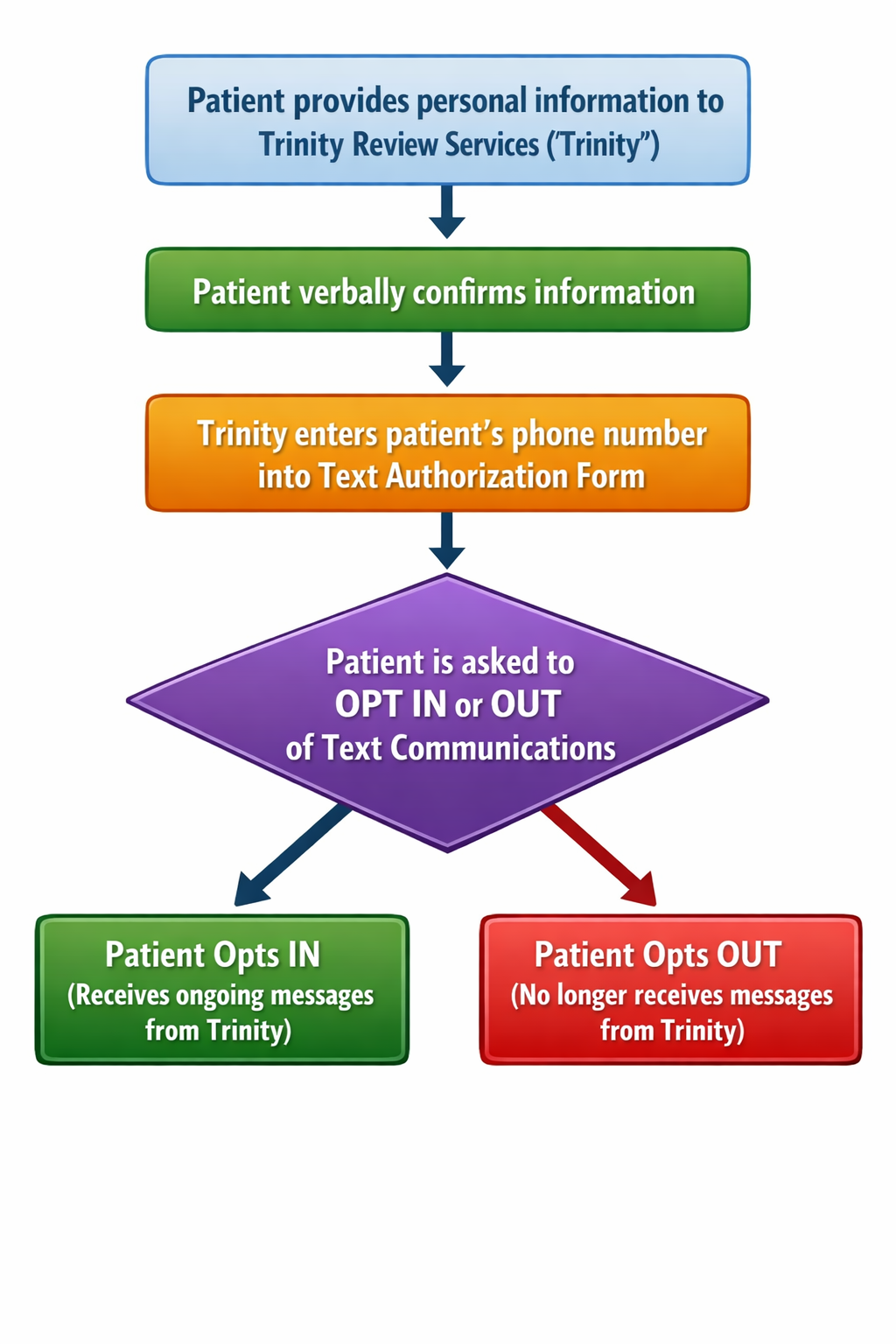
MFA Opt In Flow: Written Description
- Trinity Review Services (“Trinity”) will collect patient information directly from the patient when signing up for their workers compensation claim. This will include their phone number.
- Upon inputting information into the system Trinity verbally confirms with patient that they wish to receive the Patient Authorization Form document link from Trinity via text message.
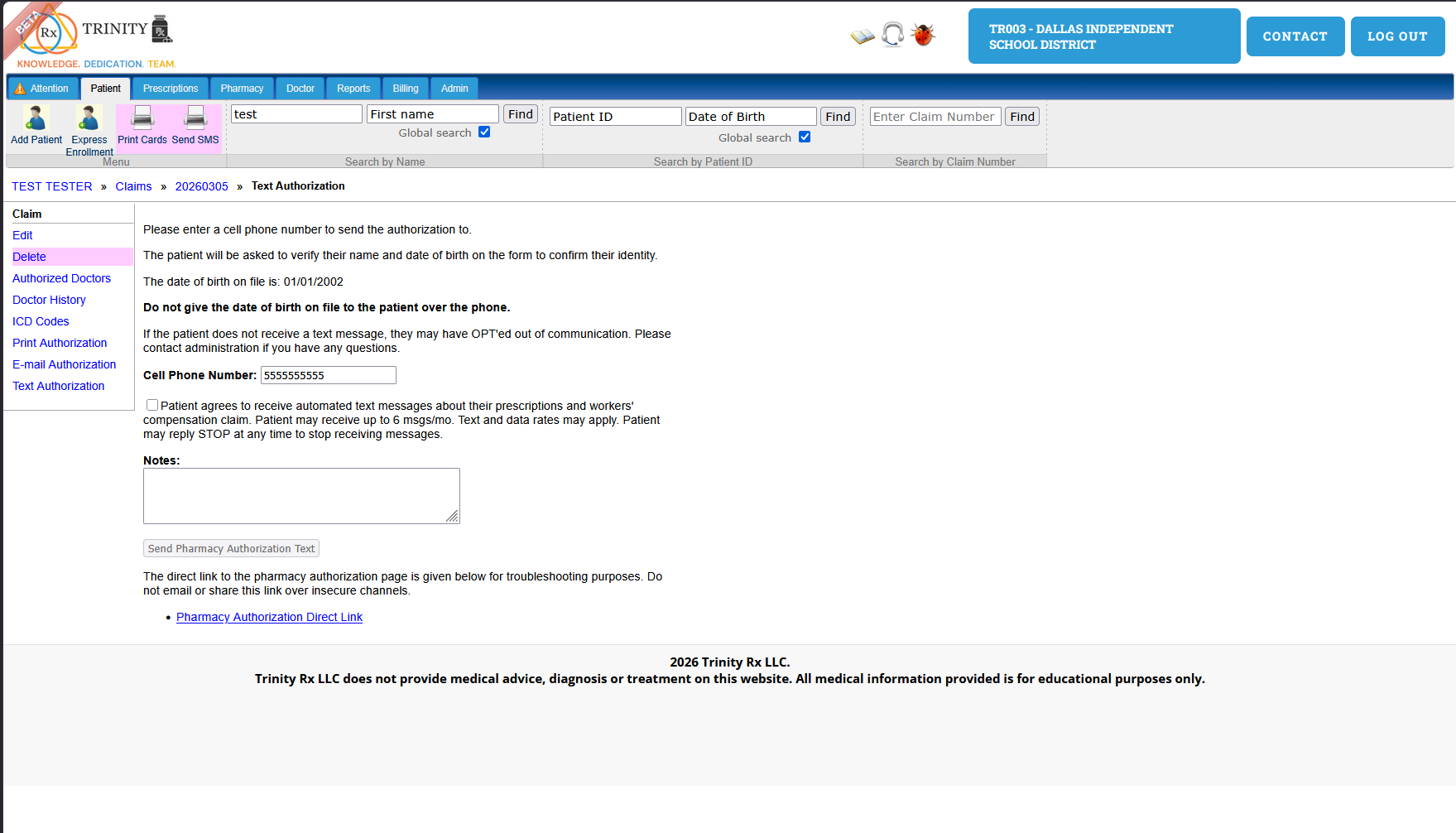
- Trinity will input patients phone information into the web form in Blue
Diamond: see image below
- The patient will receive a text message from Trinity, it will:
- Clearly state that it is from Trinity.
- State the purpose of the message.
- Include an opt-in request (Ask the patient to reply "YES" to opt-in).
- Give opt-out instructions ("Reply STOP to opt-out").
- State the maximum number of messages the patient may receive in a given time frame (e.g., "up to 6 texts/month").
This is an example of the text message:
“Your workers' comp claim has been received by Trinity Review Services, a HIPAA compliant provider, is fulfilling your request. You may get up to 6 texts/mo. Reply YES to continue to receive messages. You have been sent a Pharmacy Authorization Form To VIEW your authorization click the following link: {unique Patient Authorization weblink} If you do not want to receive communications from Trinity Review Services please reply STOP to this message”
- If patient Opts-In they will receive ongoing messages from Trinity about their workers compensation claim
- If patient Opts-Out the patient will be removed from text communications and will no longer receive text communication from Trinity unless they request it at a later date.
User Opt-in Flow for Patients: Diagram